Step 1
Upload an Image
Start by uploading a clear and high quality image in JPG or PNG format. Ensure the file size is under 10MB for smooth processing.

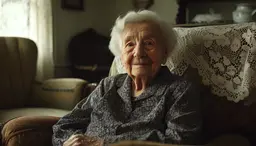

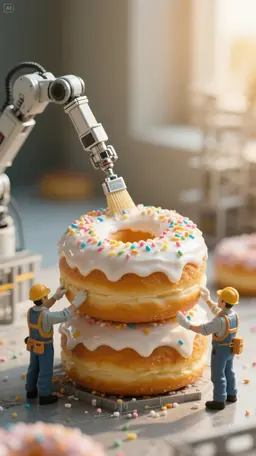


Creating a video from photos is quick and simple on VidMix AI. Just follow these steps:
Start by uploading a clear and high quality image in JPG or PNG format. Ensure the file size is under 10MB for smooth processing.
Write a detailed description of the scene — including character actions, background elements and more. Not sure what to write? Use our AI prompt assistant to help you craft the perfect description.
Choose your desired video length (among 4–8 seconds). Then simply click the Create button and let our Image to Video AI work its magic! Once generated, view and download your AI video in the "My Media" section.
VidMix AI makes videos from text or images without watermarks, even when you try it for free. It's easy to use, has ready-made styles, and works on phones, making it a good choice for making clean videos you can share.
No complex software, no learning curve; just upload an image and watch our AI transform it into a stunning video right before your eyes. It's the best image to video AI without watermark free to try on the market, empowering you to effortlessly turn image to video AI content in seconds.
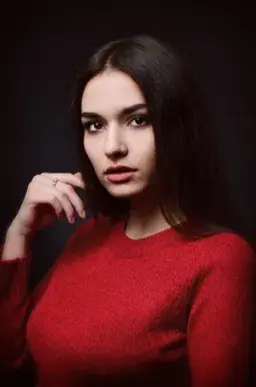
Our image to video AI brings portraits to life by capturing every detail of a person's face. It can smoothly animate expressions and turn a static image into a dynamic video. Imagine a movie star's image coming to life as she gently smiles.

Prompt
The woman starts to smile
Discover how creators, marketers, and storytellers around the world are using our AI powered image to video generator to bring their ideas to life. From product marketing to social media content, see real world applications that inspire creativity.
VidMix AI video generator stands out as one of the best image to video AI generators for a reason. Here's why users love it:
Try our image to video AI without watermarks for free! You can create as many videos as you want – your video is truly yours to share anywhere.
Wow your audience with HD visuals! Our image to video AI will analyze your photo and add realistic movement or effects. The result? Professional grade videos that preserve your image details.
This tool is built for everyone. Whatever your goal, our picture to video AI delivers engaging content ready to captivate viewers.
Create videos in seconds. VidMix's image to video AI delivers quick processing to convert images to videos. Stop waiting and start creating engaging content with our rapid photo to video AI today.
No editing tools or technical skills needed. Our image to video AI makes it easy: upload, describe, and generate. The process is beginner friendly, so anyone can enjoy a seamless video creation experience.
Enjoy a clean, focused creative experience. VidMix provides a clean environment for your AI image to video generation. There are no annoying ads or unwanted spam, just pure creative flow.
Absolutely love how easy it is to bring my product photos to life using Image to Video AI! The motion looks so smooth and professional. No more boring static posts!
I use this powerful AI tool to create vlogs, and being able to add subtle motion to my still photos really enhances the viewing experience. It makes my memories feel more alive!
I uploaded a photo of my dog who passed away last year, and the image to video AI turned it into a short video where she looked around and blinked. It felt like seeing her again, even for a few seconds. Thanks to this magical tool.
I'm into cosplay and anime. I used a photo of me in costume and added a short prompt with this image to video AI. The video made my character smile and tilt their head. The effect was amazing. Feels like anime brought to life!
Get answers to common questions about our AI powered image to video generator
Image to video generator uses smart technology to turn your still pictures into moving videos. It can add realistic motion or cool effects. VidMix AI is one example that makes it easy to animate your images.
To animate an image with AI, just upload it to an AI video generator like VidMix AI. Then, enter the prompt about how you want it to move, and the tool will turn your picture into a fun video.
VidMix AI doesn't have a completely free image to video AI option all the time. But, you can try it for free to see how well its AI image to video works before you pay for a plan.
Many people think VidMix AI is the best AI video generator for PCs in 2025. This is because its image to video AI is strong, it's easy to use, and the videos look great.
Yes! Videos you make with VidMix AI image to video AI generator belong to you. Even when you try it for free, there are no watermarks, so you can share your videos anywhere you like for personal or business use.
Yes, absolutely! VidMix AI image to video generator does all the work for you. Just upload your image and the AI will create the video. You don't need any extra editing software. It's a simple way to get ai image to video free of extra steps.
Start now and experience the magic of AI image to video generation